
macOS 앱 macOS app
ScoreClip
이미지나 PDF 악보에서 필요한 부분만 정밀하게 크롭하고, 배경을 제거해 투명 PNG로 복사하거나 내보낼 수 있습니다.
Crop the exact part of sheet music you need from images or PDFs, remove the background, and copy or export the result as a transparent PNG.
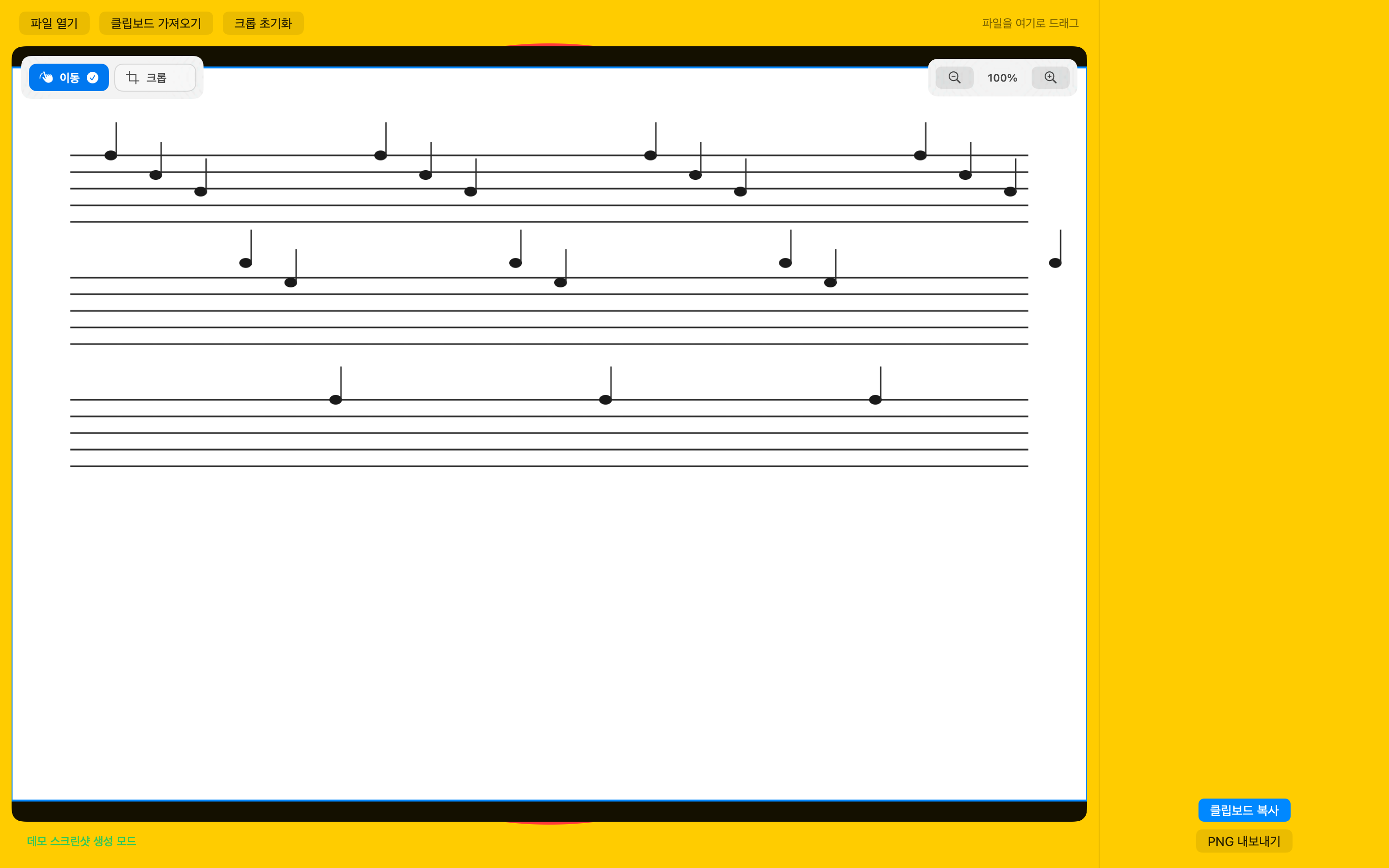
주요 기능 Features
악보 일부를 빠르게 정리해 슬라이드와 문서에 붙여넣습니다.
Prepare clean score snippets for slides and documents.
이미지와 PDF 입력 Images and PDFs
PNG, JPG, HEIC 이미지와 PDF 첫 페이지를 불러와 작업할 수 있습니다.
Import PNG, JPG, HEIC images and the first page of a PDF.
정밀 크롭 Precise crop
마우스 조작과 픽셀 기준 X/Y/너비/높이 입력으로 크롭 범위를 조정합니다.
Adjust the crop area with pointer controls and pixel-based X/Y/width/height fields.
투명 PNG 출력 Transparent PNG output
흰 배경과 회색 음영을 제거하고 PNG 파일 저장 또는 클립보드 복사를 지원합니다.
Remove white or gray backgrounds, then save a PNG or copy it to the clipboard.
지원 Support
문의와 권리 관련 요청
Questions and rights-related requests
사용 방법, 오류, 개인정보, 콘텐츠 권리와 관련된 문의는 아래 이메일로 보내주세요.
For usage questions, bugs, privacy, or content rights requests, email the address below.
hello@littledaily.app- 앱 이름: ScoreClip
- App name: ScoreClip
- 플랫폼: macOS
- Platform: macOS
- 개인정보처리방침: littledaily.app/privacy
- Privacy policy: littledaily.app/en/privacy
- 서비스 약관: littledaily.app/terms
- Terms: littledaily.app/en/terms
콘텐츠 권리 안내 Content rights notice
원본 악보의 이용 권한은 사용자가 확인해야 합니다.
Users are responsible for checking rights to source sheet music.
ScoreClip은 사용자가 직접 선택한 이미지나 PDF를 처리하는 도구입니다. 악보, 가사, 이미지, PDF 파일의 저작권과 사용 권한은 각 사용자가 확인해야 합니다.
ScoreClip processes images and PDFs selected by the user. Users must confirm copyright and permission for any sheet music, lyrics, images, or PDF files they use.